Recently, Amazon has tightened its access and security policies across multiple marketplaces.
When importing reviews using the standard method (pasting the product URL directly into the app), the system retrieves review data through server-based requests. Depending on Amazon’s current access restrictions, this method may only return a partial number of reviews instead of the full available amount.
For example, you may see cases where only 8, 10, or 20 reviews are imported.
To improve the import results, we developed the Appio Reviews Importer Bookmarklet.
This tool works directly within your browser and allows the app to retrieve review data more reliably during the import process.
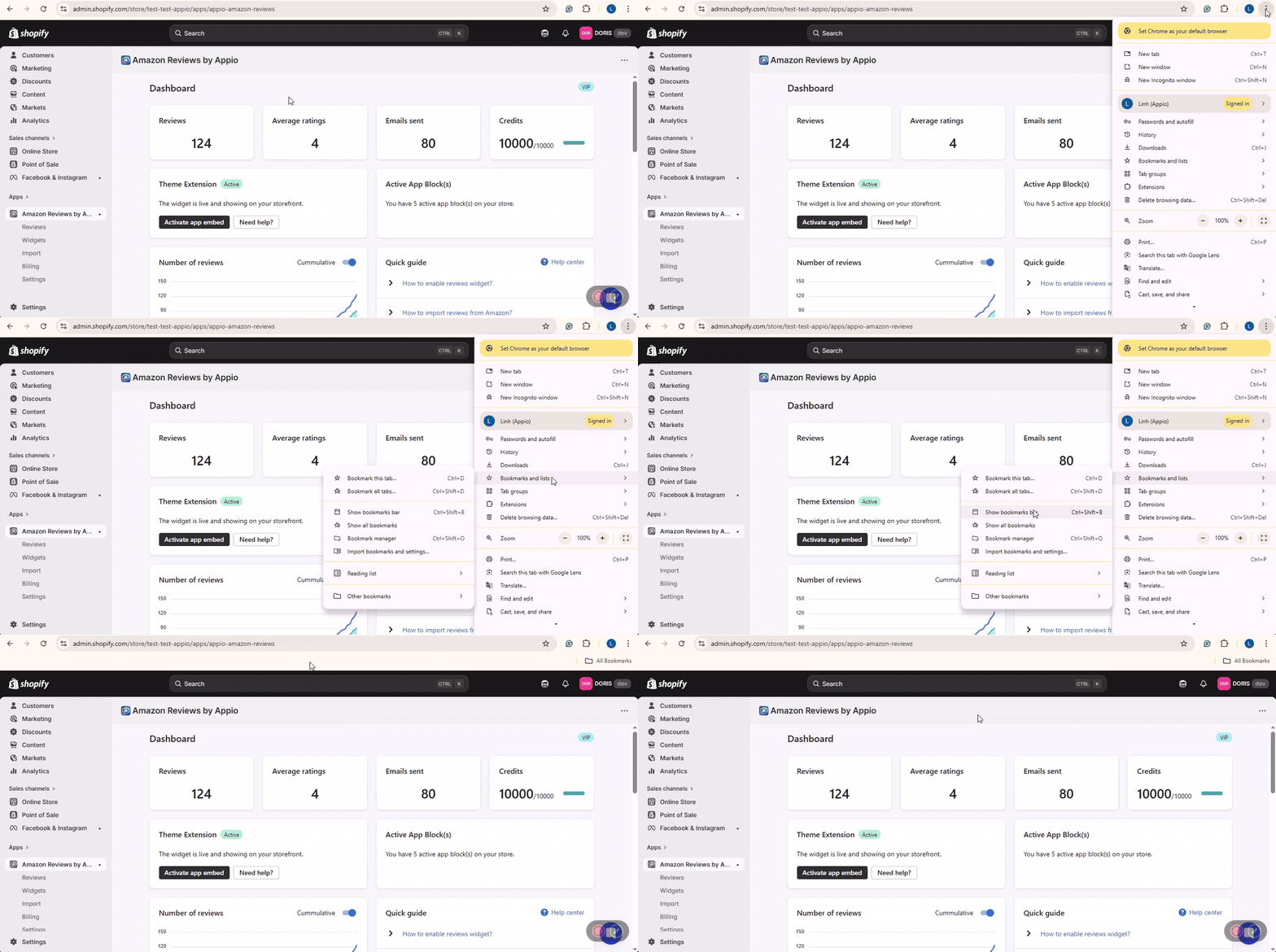
Make sure your bookmarks bar is visible in your browser.
If you don't see it, you can enable it in one of the following ways:
Option 1 (Keyboard shortcut):
Press Ctrl + Shift + B (Windows) or Cmd + Shift + B (Mac)
Option 2 (From browser settings):
Click the three dots (⋮) in the top-right corner of your browser
Select Bookmarks and lists
Click Show bookmarks bar
Once enabled, the bookmarks bar will appear below the address bar.
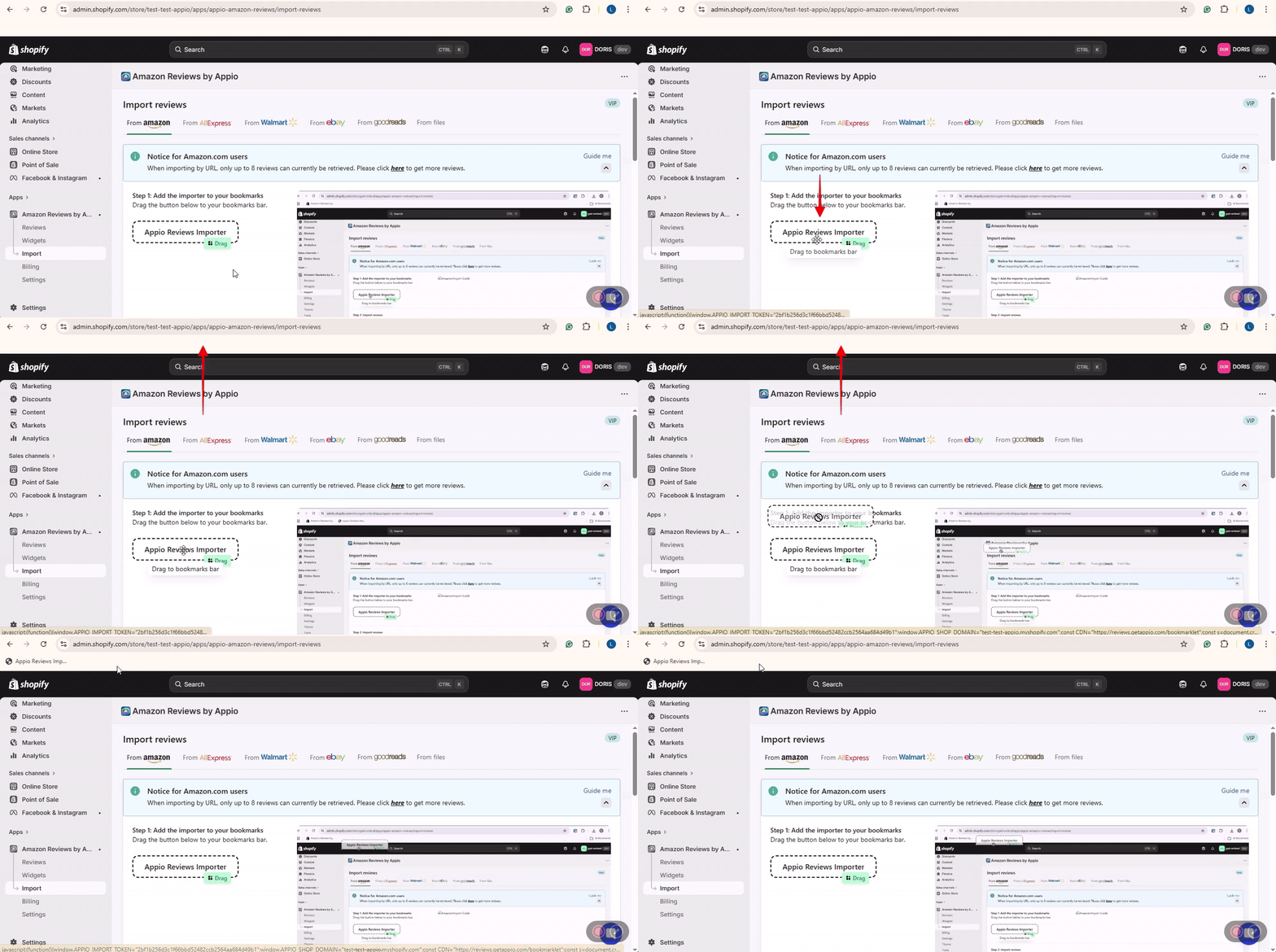
Go to Import → From Amazon in the Appio app
Drag and drop the Appio Reviews Importer button directly onto your bookmarks bar
Once added, the importer will appear as a bookmarklet in your browser and can be used anytime when you visit an Amazon product reviews page.
1. Prepare the Page:
First, log in to Amazon using your Amazon account.
Navigate to the specific Amazon product reviews page you want to import reviews from. Ensure you are on a valid product page.
For example: https://www.amazon.com/product-reviews/B07VHCGF1L
2. Launch the Importer:
While you are on the Amazon product reviews page, click the Appio Reviews Importer bookmarklet from your bookmarks bar.
3. Configure and Run
The importer modal will appear on top of the Amazon page.
Select the product in your Shopify store that matches this Amazon item.
Click Start.

4. Review and Finish
Once the collection is complete, you'll be taken to the Result screen. Here, you can:
Preview each imported review.
Filter or select reviews based on star ratings before importing
Change the selected product if you want to import the same reviews into multiple products.
Finally, click Import to save the reviews to your store.
To save time and import the most relevant reviews, you can apply filters directly on the Amazon reviews page before running the importer.
For example, if you only want to import 5-star reviews that contain photos or videos, you can set these filters on Amazon first.
How to do it:
Open the Amazon product reviews page.
Use Amazon’s built-in filters such as:
Star rating (e.g., 5 star only)
Image and video reviews only
Once the page displays only the reviews you want, click the Appio Reviews Importer bookmark.
The importer will then scan only the reviews currently visible under those filters.
This helps you:
Import more relevant reviews
Avoid scanning unnecessary pages
Save time during the import process
For example, instead of scanning 10 pages of mixed reviews, the importer can directly collect 5-star reviews with photos, which are often the most valuable for displaying on your store.